Driving Licence Check Code: How to Get and Share One
Last reviewed: September 2026. Details are taken from GOV.UK.
A driving licence check code is the only way left to prove your entitlements and penalty points to someone else, since the paper counterpart it replaced was abolished over a decade ago. Get the format wrong, or let it expire, and a car hire desk or new employer cannot see your record at all.
This guide covers how to generate a check code, how long it lasts, what to give the other person alongside it, and what to do if something goes wrong. Every detail is matched against GOV.UK as of September 2026.
What Is a Driving Licence Check Code?
A driving licence check code is a short, one-time code that lets someone else, such as an employer or a car hire company, view your official driving record online. It replaced the paper counterpart to the photocard licence, which was abolished on 8 June 2015.
Before that date, your entitlements, penalty points and disqualifications were recorded on a green paper slip that accompanied your photocard. Since the counterpart no longer exists, a check code is now the only official way to share this information with a third party.
Why can’t someone just look at your physical licence?
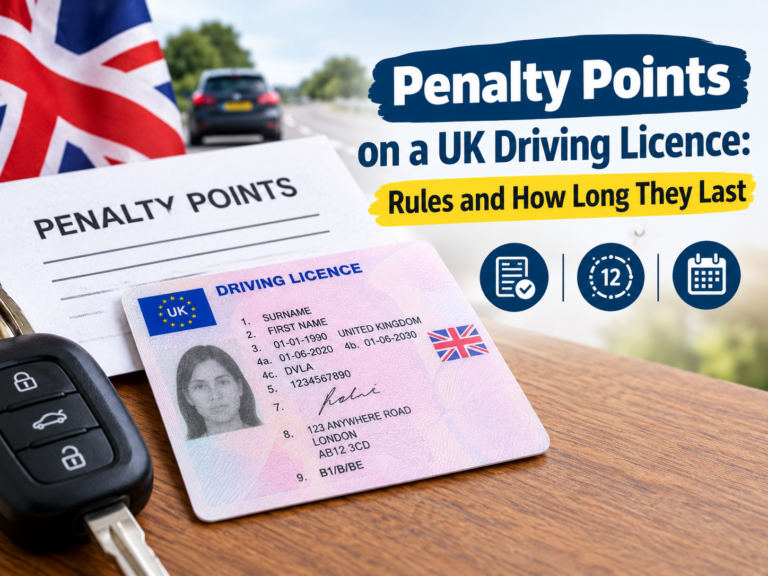
Your photocard shows your photo, categories and basic details, but it does not show penalty points, endorsements or disqualifications. That information only exists on your DVLA driving record, which is why a check code, rather than the card itself, is needed to confirm it.
How did this work before 2015?
| Before June 2015 | Since June 2015 | |
|---|---|---|
| Proof of points/entitlements | Green paper counterpart | Online check code |
| Format | Physical document | 21-day, single-use code |
| Risk if lost | Had to reapply for a new one | Simply generate a new code, free |
| Where checked | In person, by reading the paper | Online, via GOV.UK’s checking service |
The paper counterpart was scrapped partly because it was easy to forge and rarely kept up to date in practice, since many drivers never carried it day to day. A digital, real-time record solved both problems at once.
How to Get a Driving Licence Check Code
What do you need to generate a code?
- Your driving licence number
- Your National Insurance number
- The postcode shown on your driving licence
How do you get a code step by step?
- Go to the GOV.UK page “View or share your driving licence information” and select “Start now”.
- Enter your driving licence number, National Insurance number and postcode.
- Tick to confirm you have read the privacy notice, then select “View now”.
- Your licence details will be displayed, including entitlements, points and disqualifications.
- Select “Share your licence information”.
- Select “Get a code” to generate your check code.
What other ways can you get a code?
- Through your driver and vehicles account, if you already have one set up.
- By phone, on 0300 083 0013, Monday to Friday 8am to 7pm, and Saturday 8am to 2pm.
The online route is the fastest for most people, since it does not depend on call wait times.
Using a Driver and Vehicles Account Instead
If you already manage other DVLA services online, such as vehicle tax reminders, you can generate a check code from within your existing driver and vehicles account rather than starting the separate “view or share” service each time. This saves re-entering your licence number, National Insurance number and postcode, since the account already has your details linked and verified.
Setting up this account is optional and separate from any single check code request. If you only need a one-off code and do not want an ongoing account, the standalone “View or share your driving licence information” service works perfectly well without one.
How Long Is a Driving Licence Check Code Valid?
A check code is valid for 21 days, and can only be used once. It was originally set at just 72 hours when introduced in 2015, but was extended to 21 days after pressure from the car rental industry, since a shorter window caused problems for people hiring a car partway through a longer trip.
Once someone uses your code, or once 21 days pass, you must generate a new one. There is no way to extend or reuse an old code.
Why was the check code extended from 72 hours to 21 days?
When DVLA first introduced check codes in June 2015, they were valid for just 72 hours. This caused real problems: someone hiring a car for a two-week holiday, for example, could not generate a code in advance, since it would expire before they even collected the car partway through their trip.
Industry bodies, including the British Vehicle Rental and Leasing Association, pushed back on the short window, since three days was widely seen as impractical for anyone booking a hire car or starting a new job more than a few days in advance. DVLA responded within a month, extending validity to 21 days from 10 July 2015. This remains the standard length today, and reflects a genuine compromise between giving drivers enough flexibility and keeping shared access reasonably time-limited.
What Do You Need to Share Alongside the Code?
The code alone is not enough. You must also give the person checking your licence the last 8 characters of your driving licence number. Both pieces together let them access your record, so treat the code as private until you are ready to share it, and only ever with someone you intend to give access to.
Is the check code case-sensitive?
Yes. Copy or write it down exactly as shown, since even a single wrong character or case will make it invalid.
Who Typically Asks for a Check Code?
- Car hire companies, to confirm you are entitled to drive the category of vehicle you are booking, and to check for relevant disqualifications.
- Employers, particularly for driving-related roles such as delivery, haulage or fleet driving, as part of hiring or ongoing right-to-drive checks.
- Insurers, in some cases, to verify your driving history when setting up or renewing a policy.
- Licensing authorities, such as local councils checking entitlement for taxi or private hire driver licences, often as a recurring annual or periodic check rather than a one-off.
It is a criminal offence to obtain someone else’s personal information, including their driving licence details, without their permission. A check code exists precisely so that a driver stays in control of when, and with whom, this information is shared.
How Does the Other Person Check Your Code?
Whoever you share the code with, such as a hire company or employer, uses a separate GOV.UK service designed for checking rather than generating codes. They enter:
- the check code you gave them
- the last 8 characters of your driving licence number
This shows them your entitlements, penalty points and disqualifications, exactly as you saw them when you first viewed your own record. They cannot see anything beyond this, such as your full address history or medical information, since the service only exposes what is relevant to driving entitlement, keeping the disclosure narrow and purpose-specific rather than handing over your entire DVLA file.
What if you are the one asking someone else for their check code?
If you run a business that needs to verify staff or customers’ driving records, ask the driver to generate their own code through GOV.UK and pass it to you, along with the last 8 characters of their licence number. There is no separate business account that lets you look up someone’s record using only their name or licence number, since this would bypass the driver’s consent entirely, and doing so without permission is itself a criminal offence under data protection law.
What Does a Check Code Actually Show?
When you view your own licence, or when someone uses your check code, the information available includes:
- Your details: name, date of birth, address
- Vehicles you can drive: your current entitlements and categories
- Penalties and disqualifications: any current or recent points, endorsements or bans
The person you share the code with sees exactly this record, not your full DVLA file or any medical information beyond what affects your entitlement to drive.
Does the check code show licence codes and restrictions?
Yes. If your licence carries a restriction, such as code 78 for automatic-only, or code 01 for needing glasses or contact lenses, this shows up under “vehicles you can drive” alongside your standard categories. A hire company relying on the check code, rather than physically inspecting your card, still sees these restrictions clearly, so there is no way to rent a manual car on an automatic-only licence simply by not mentioning it, since the restriction is visible the moment they check the code themselves.
Can You Download or Print Your Licence Information?
Yes. From the same “View or share your driving licence information” service, you can select the option to view, print or save a summary of your licence information for your own records, separate from generating a check code for someone else. This is useful if you want a record for your own files, or need to show your details somewhere that does not use the check code system directly, though most modern car hire and employer checks now expect the code-based process rather than a printed summary.
Driving Licence Check Codes in Northern Ireland
If your licence was issued by the DVA rather than DVLA, you use a different service: “View or share your NI driving licence information” on nidirect, not the GOV.UK page. Codes still last 21 days, but to use the NI service you need a nidirect account with your identity already verified, and your driving licence linked to that account, which is a different setup process from the GB service.
Do not try to generate an NI check code through GOV.UK, or a GB check code through nidirect, since the two systems check separate driver databases.
Is Sharing Your Check Code Safe?
Sharing a check code is generally low risk, since it is single-use, time-limited, and only reveals driving-related information, not your full personal record. Even so, a few sensible precautions are worth following:
- Only share your code with a genuine business or organisation that has a real reason to check your driving record, not with individuals who ask informally.
- If a request feels unusual, such as being asked for your code by someone contacting you unexpectedly by text or email, treat it with the same caution as any other unsolicited request for personal information, and verify who is actually asking before you send anything.
- Generate the code yourself, through GOV.UK directly, rather than through a third-party website that claims to do this for you, since GOV.UK is the only legitimate source, and a site charging a fee to “generate” your code for you is not an official DVLA channel.
- Remember that once used, the code cannot be reused by anyone else, even if they somehow obtain it after your intended recipient has already checked it, which limits the impact of a code being seen by the wrong person.
Using a Check Code for Insurance
Some insurers ask for a check code as part of setting up a new policy, particularly for higher-risk profiles such as new drivers, or when renewing after a claim or conviction. This lets the insurer verify your actual points and entitlements directly from DVLA, rather than relying solely on what you declare yourself. If your insurer asks for one, the same 21-day, single-use process applies as with any other request, so generate it only once you are ready to send it to them, rather than in advance of an application that might still take some time to complete.
Common Problems With Check Codes
- Code has expired: generate a new one. There is no way to revive an expired code, since each is single-use within its 21-day window.
- Entered the code incorrectly: check codes are case-sensitive, so re-copy it carefully from GOV.UK rather than retyping from memory.
- The other party says the code did not work: confirm you also gave them the last 8 characters of your driving licence number, since the code alone is not enough to access your record.
- Do not know your National Insurance number: GOV.UK has a separate service to help you find it, which you will need before you can generate a check code.
- Licence issued in Northern Ireland but tried the GB service: use nidirect’s NI-specific service instead, since GOV.UK’s tool only covers licences issued in England, Wales or Scotland.
- Generated a code too early for a future hire date: since the code lasts only 21 days, generate it closer to when you will actually need it, rather than weeks in advance.
Conclusion
A driving licence check code is a free, one-time way to prove your entitlements and points to someone else, and it is the only official replacement for the paper counterpart that stopped working in 2015. Generate it close to when you will actually need it, since it expires after 21 days, and always pass on the last 8 characters of your licence number alongside it.
Next, if you are not sure what is currently on your driving record, check how penalty points and endorsements work, or how to find your driving licence number if you do not have it to hand.